Go live from a computer
The castgate encoder sends a USB camera, or an HDMI camera through a USB capture stick, to your channel. Free, nothing to configure. This page needs no sign-in, so you can open it on the computer with the camera: https://stream4us.com/download
- Download and open it.
Windows: right-click the file → Extract All, open the folder, double-click castgate-encoder. If Windows says "protected your PC": More info → Run anyway.
Mac: double-click the file to unzip, then the first time right-click castgate-encoder → Open → Open (macOS asks once because it is not from the App Store). When asked, allow Terminal to use the camera and microphone. Keep the small Terminal window open.
Linux and Raspberry Pi:
sudo apt install ffmpeg, unpack, run./castgate-encoder. A page opens in your web browser: that is the encoder. - Pair it with your channel (once). Type this site's address,
https://stream4us.com, and a pairing code: on any computer sign in, Overview → Create a pairing code. - Go live. Choose the camera and microphone, press Check picture and sound, then Go Live. That is all: it reconnects by itself if the internet drops and keeps a copy of the service on the computer.
All downloads (5)
| Computer | Download | Size |
|---|---|---|
| Windows | castgate-encoder-windows.zip | 68 MB |
| Mac (Apple M1 to M4) | castgate-encoder-mac-apple-silicon.zip | 21 MB |
| Mac (Intel) | castgate-encoder-mac-intel.zip | 27 MB |
| Linux | castgate-encoder-linux-x64.tar.gz | 3 MB |
| Linux ARM (Raspberry Pi) | castgate-encoder-linux-arm64.tar.gz | 3 MB |
Help: the encoder step by step, and what to do if it does not connect · OBS, vMix and hardware encoders
Go live from a phone
An iPhone or Android phone sends its camera to your channel. Pair it once with a code from Overview, like the encoder.
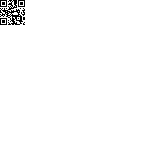
- iPhone and iPad: point the camera at the code, or open https://stream4us.com/send in Safari (iOS 14.5 or newer). Keep it: Share → Add to Home Screen.
- Android: install the castgate Sender app (25 KB; allow your browser to install apps when asked), or open https://stream4us.com/send in Chrome (menu → Install app).
Wi-Fi or strong 4G/5G, phone plugged in, held sideways on a tripod. Help
TV apps
Viewers watch your channel on the TV. Each app lists the channels on this site; set the app once and it remembers.
| Fire TV | castgate-firetv-1.7.2.apk (2 MB) | On the Fire TV: install the free Downloader app, type https://stream4us.com/download/firetv.apk, install. (Settings → My Fire TV → Developer options → Install unknown apps → Downloader: On.) |
| Android TV | castgate-androidtv-1.7.2.apk (2 MB) | On the TV: install Downloader from Google Play, type https://stream4us.com/download/androidtv.apk, install (allow unknown apps for Downloader when asked). |
| Roku | castgate-roku.zip | Test install: on the Roku remote press Home 3×, Up 2×, Right, Left, Right, Left, Right to turn on developer mode; open the address the Roku shows in a browser and upload the zip. For the Roku Channel Store, sign in → TV apps for your own branded channel. |
| Fire TV (Vega OS) | Built from apps/vega with Amazon's Vega tools by your provider; not downloadable yet. | |
| Smart TVs, Apple TV, Chromecast | No app yet: cast or AirPlay the channel page from a phone, or open it in the TV's web browser. | |
Your own app with your church's name and logo: sign in → TV apps.